
In this project we built a digital twin of an inspection drone using Unity, capable of capturing images and synchronizing them with a backend API.
This work is part of a project developed at Noctua, where we are building systems for automated infrastructure inspection using aerial imagery.
In this example scenario, the drone flies over industrial roofs and captures images that can later be analyzed to detect potential issues such as:
- structural damage
- corrosion
- leaks
- maintenance risks
Instead of immediately deploying a real drone fleet, we first validate the inspection workflow and data pipeline using a digital twin simulation.
This post focuses on the system design behind the data pipeline, not the internal implementation of the AI models.
The Drone Controller Mock
To simulate the drone behavior we implemented a simple state machine that mocks the drone controller.
Act: Connect to API"] SP["Safe Position"] RP["Roof Position [i]
Act: Take Photo"] START --> |Start| CS CS -->|Battery High| SP SP -->|Battery Low| CS CS --> |Finish| START SP -->|Next Unvisited| RP RP -->|Battery Low| SP RP -->|Move to Next Roof| RP RP -->|Finished All Roofs| SP SP -->|Finished All Roofs| CS style SP fill:#ffffff,stroke:#333,stroke-width:2px style CS fill:#e6f3ff,stroke:#333,stroke-width:1px style RP fill:#fffde6,stroke:#333,stroke-width:1px
The drone follows a simple inspection loop.
- It starts at the charging station.
- It moves to a safe position.
- It visits multiple roof inspection points.
- At each inspection point, the drone captures images.
- When the battery becomes low, the drone returns to the charging station.
A key constraint in real-world deployments is that network connectivity is not guaranteed everywhere.
Because of that, the drone does not upload images immediately.
Instead, the captured images are synchronized with the backend API only when the drone returns to the base, where internet connectivity is available.
This behavior is reproduced in the simulation.
Digital Twin
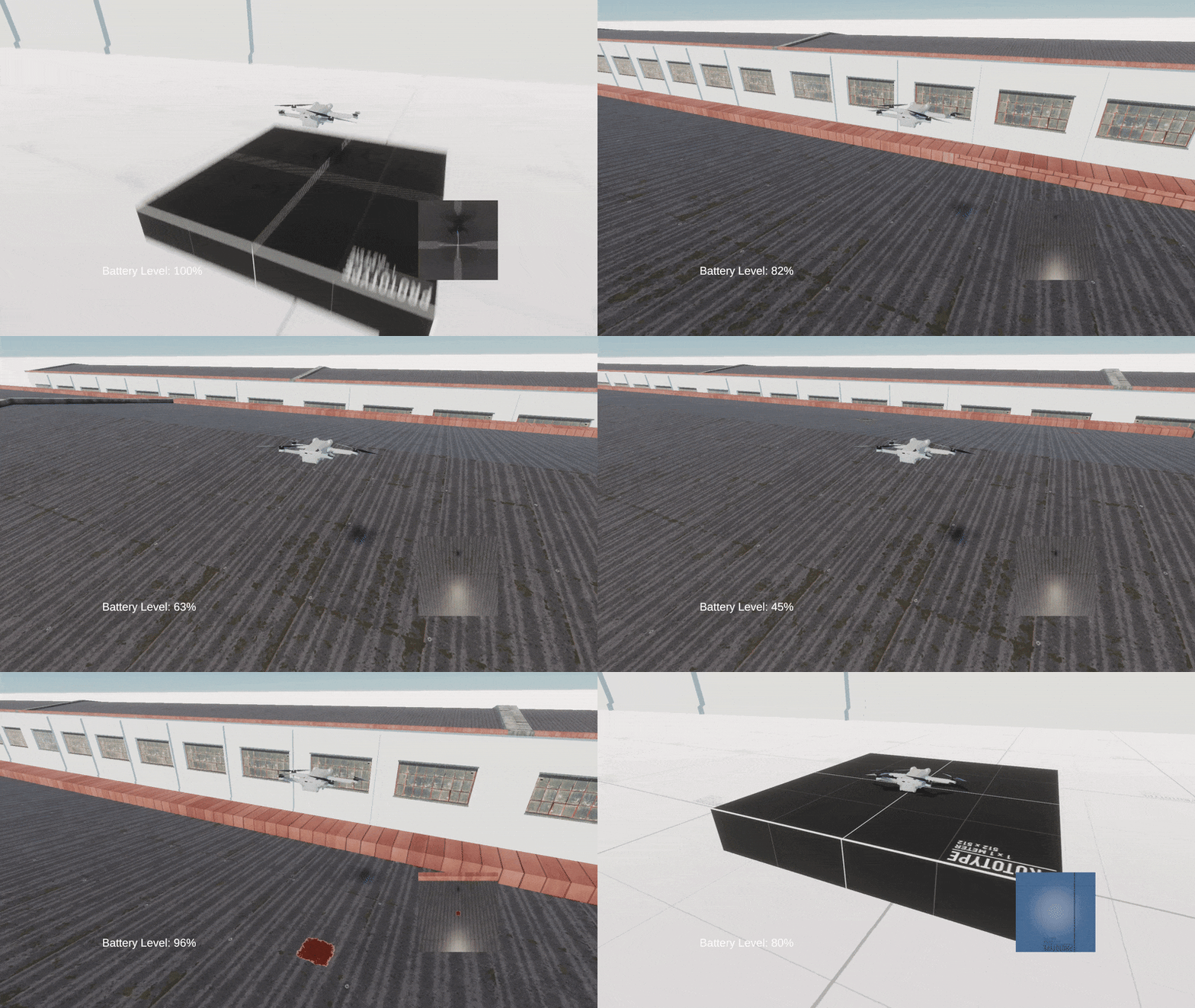
The drone simulation runs inside Unity, where we generate a digital twin of the inspection system.
The goal is not perfect physical realism. Instead, the simulation focuses on reproducing the inspection workflow:
- drone navigation between inspection points
- camera image capture
- generation of inspection data
Below is an example of the drone flying over an industrial roof.
During the simulation, the drone periodically captures images from its camera.
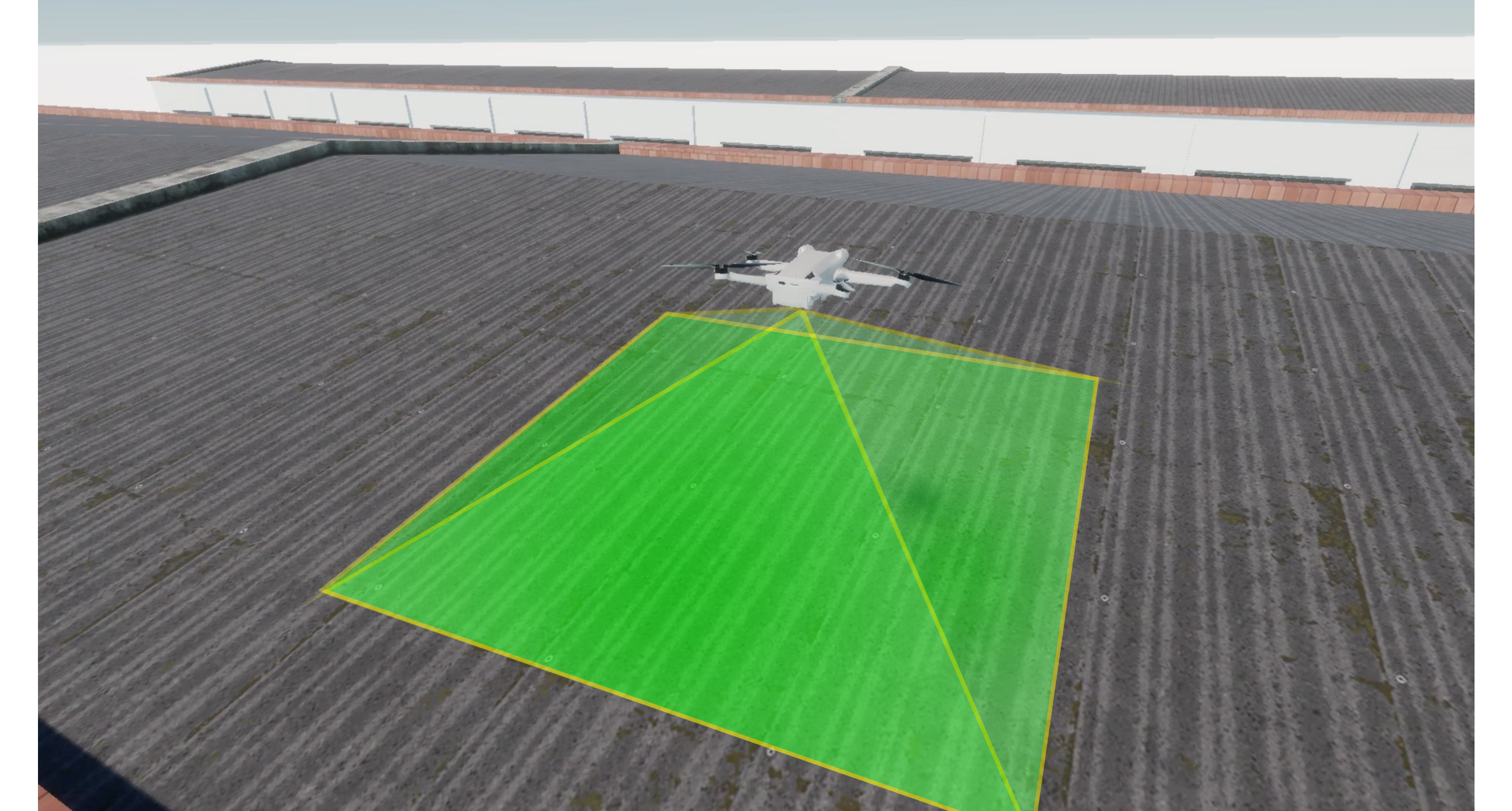
These images represent the inspection data that would normally be collected in a real infrastructure monitoring scenario.
Usage in Other Simulations
One advantage of building a digital twin is that the simulation infrastructure can be reused for other inspection scenarios.
For example, the same framework can be adapted to simulate warehouse inspection, where a drone scans shelves and identifies stored items.
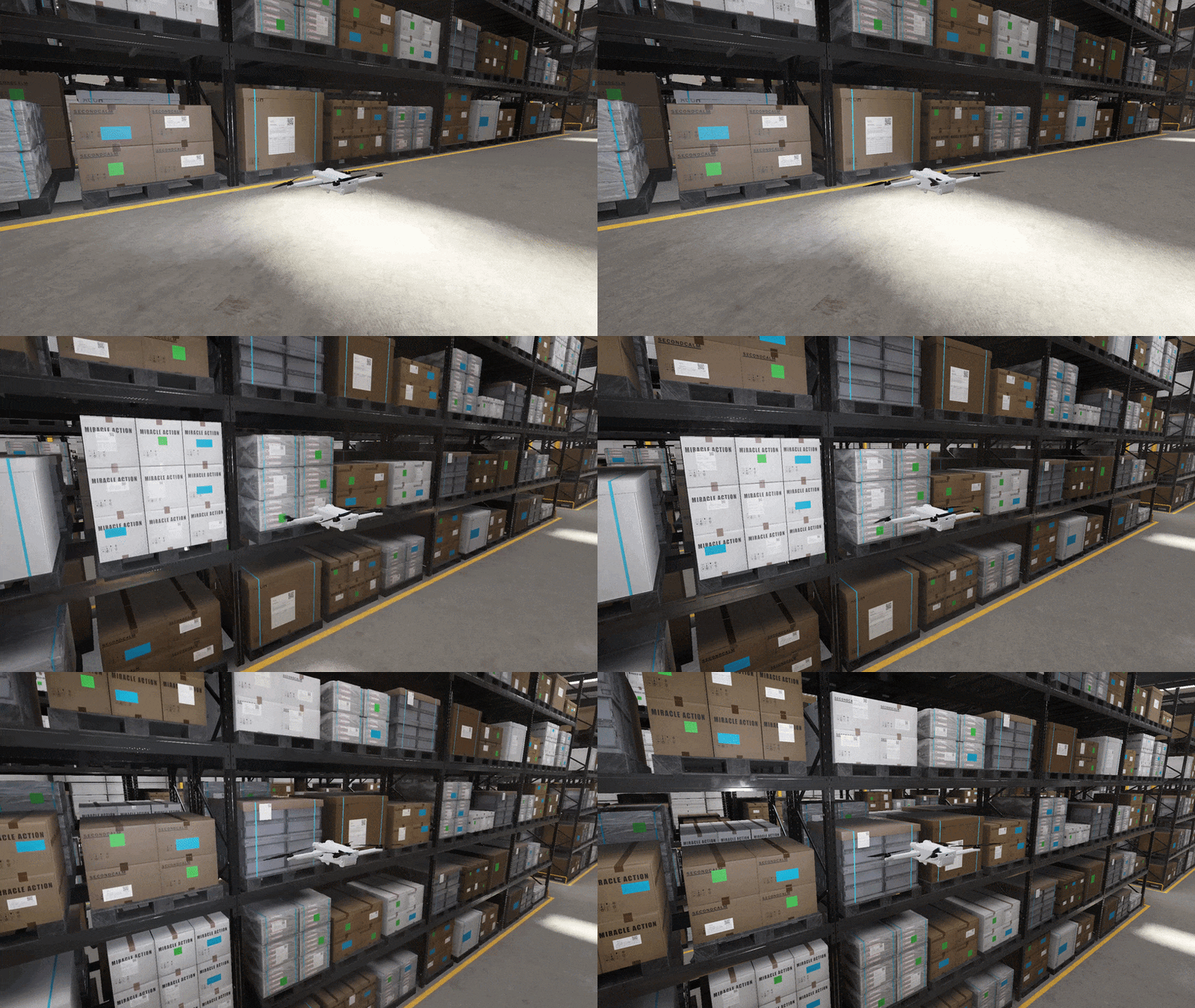
Digital twins allow us to experiment with:
- inspection workflows
- data pipelines
- perception systems
without requiring expensive or risky real-world testing.
The Data Journey
Once images are captured, they must travel through our backend system.
The objective of this pipeline is to transform raw aerial images into infrastructure inspection data.
The pipeline works as follows:
- The drone sends images and metadata to the API.
- The API stores the raw image binary in S3-compatible storage using MinIO.
- The metadata describing the inspection is stored in MongoDB.
- The API enqueues a processing task in a Redis queue.
- A separate service processes the image.
- The processing results are written back to the database.
- The inspection results can then be visualized using Grafana dashboards.
Separating data ingestion, storage, and processing allows each component to scale independently.
This architecture also makes the system resilient to temporary spikes in image ingestion.
A Very Simple API
On the backend side, the API is intentionally simple.
Its responsibilities are limited to:
- receiving drone inspection images
- storing the image binary
- storing metadata
- dispatching asynchronous processing tasks
The AI system that analyzes the images runs as a separate service and consumes tasks from the queue.
This separation allows the inspection pipeline to evolve independently from the machine learning models.
Final Thoughts
Building a digital twin proved to be a powerful way to validate the inspection workflow and backend architecture before deploying a real drone system.
Even with a simplified simulation we were able to test:
- the inspection data pipeline
- the API design
- asynchronous task processing
- storage and visualization infrastructure